
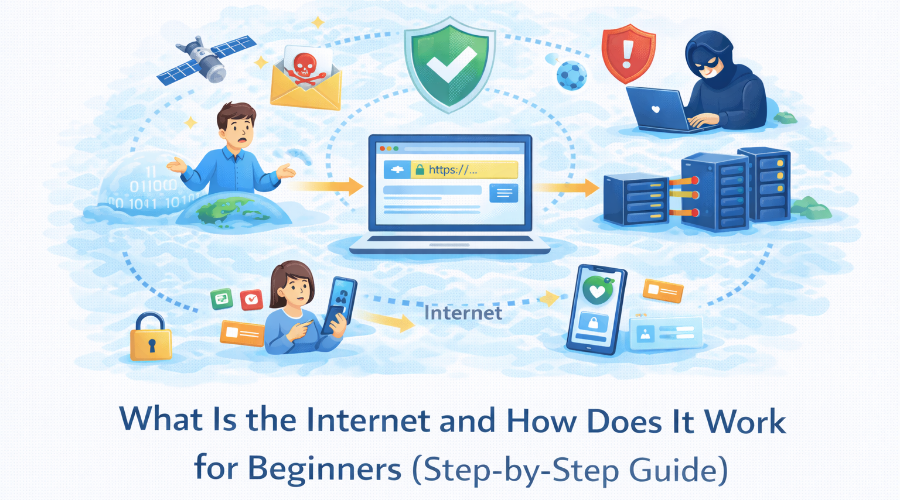
The Internet has become a part of everyday life. We use it to search information, watch videos, use online tools, make payments, talk to people, and work online. From mobile phones to computers, almost everything today depends on the Internet. But even though we use it daily, many beginners do not clearly understand what the Internet actually is or how it works behind the scenes.
Most beginners feel confused because the Internet is often explained using technical terms like servers, IP addresses, packets, and protocols. These words sound complex and make the topic feel difficult, even though the basic idea is simple.
This step-by-step guide is created to remove that confusion. In this guide, you will learn what the Internet really is, how it physically exists, how data moves from one place to another, and what happens when you open a website or use an online tool. Everything is explained in simple language so that beginners can understand easily, while professionals can still see the complete system clearly.
What Is the Internet and How Does It Work? (Beginner Explanation)
The Internet in Simple Words
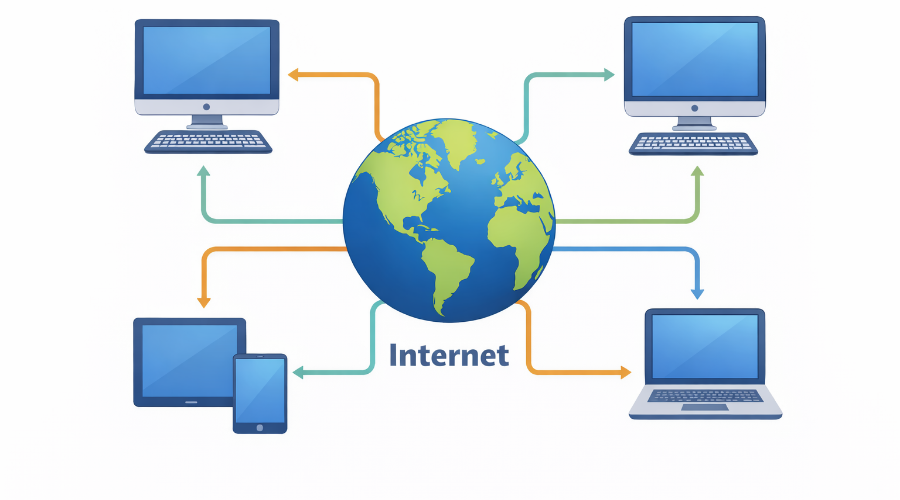
The Internet is a global system that connects millions of computers, mobile phones, and devices across the world. It allows these devices to share information with each other. When you search something on Google, watch a video, send a message, or use an online tool, you are using the Internet.
In simple words, the Internet is a way for devices to talk to each other, even if they are very far apart. Your device sends a request, and another device (called a server) sends the information back to you. This communication happens in seconds.
The Internet itself is not an app, not a website, and not a single machine. It is the connection that makes all these things work together.
Why the Internet Is Called a Network of Networks
A Network means a group of connected devices. For example, your home Wi-Fi is a small network. Your office network is another network. Mobile companies also have their own networks.
The Internet connects all these different networks together. That is why it is called a network of networks.Your phone’s network your Internet Service Provider’s network, and the website’s network are all linked.
Because of this connection, your device can communicate with any other device on the Internet, no matter where it is located in the world.
Is the Internet a Thing, a Service, or a System?
The Internet is not a physical object that you can touch. It is also not owned by one single company or country.
The Internet is best understood as a system.This system is made of cables, wireless signals, routers, servers, and rules that control how data moves.
Internet companies provide Internet service, but the Internet itself is the large system that allows global communication. When all these parts work together, the Internet functions smoothly.
How the Internet Physically Exists in the Real World
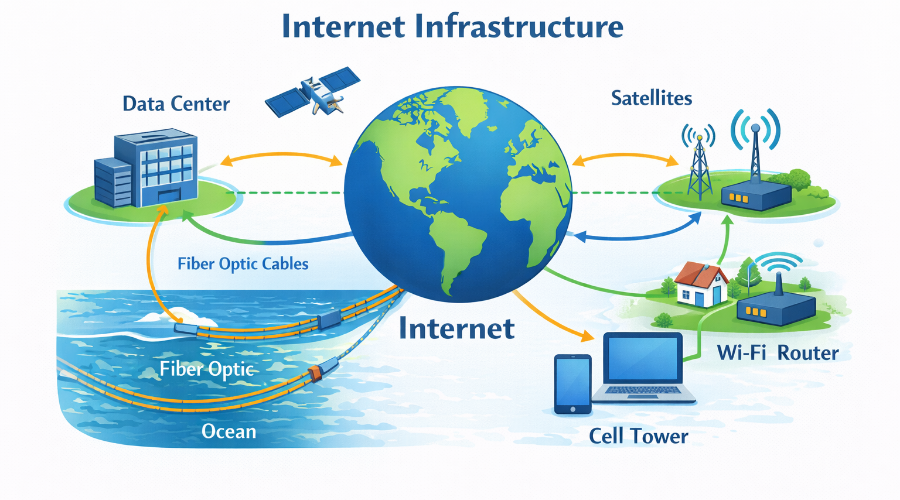
Many beginners think the Internet is something invisible or in the air. In reality, the Internet physically exists and works because of real-world infrastructure like cables, machines, and buildings spread across the globe.
Cables, Fiber Optics, and Wireless Signals
Most Internet data travels through physical cables, not through the air.These cables are mainly fiber optic cables, which send data as light signals at very high speed.
Wireless connections like Wi-Fi and mobile data only work for short distances. After that, the data goes into fiber cables underground or underwater. Even when you use wireless Internet, the backbone is still wired.
Undersea Internet Cables Explained Simply
Countries are connected to each other using undersea Internet cables laid across oceans.These cables are as thick as a garden hose and carry almost all international Internet traffic.
Without these cables, video calls, cloud tools, and global websites would not work properly. Satellites exist, but they handle only a small part of Internet traffic compared to undersea cables.
Data Centers and Why Location Matters
Websites and online tools live inside data centers. A data center is a large building filled with powerful servers that store data and run applications.
Location matters because the closer a data center is to the user, the faster the website or tool loads. That is why big platforms use multiple data centers around the world.
Routers, Switches, and Internet Exchange Points (IXPs)
Routers decide where data should go next.Switches move data inside local networks.
At a larger level, Internet Exchange Points (IXPs) are physical locations where different networks connect and exchange traffic directly. IXPs help reduce delay, improve speed, and lower Internet costs.
How Does the Internet Work Step by Step?
When you open a website or use an online tool, many small steps happen in the background within seconds.Let’s understand this process one step at a time, in very simple language.
Step 1 – Your Device Connects to the Internet
First, your device (mobile, laptop, or computer) connects to the Internet using Wi-Fi, mobile data, or a wired connection.This connection is provided by your Internet Service Provider (ISP).
At this point, your device becomes part of the global Internet network.
Step 2 – Your Request Is Created
When you type a website address (like a URL) or click a button, your device creates a request.
This request is simply a message that says:
“I want this website or data.”
Your browser prepares this request so it can be sent across the Internet.
Step 3 – DNS Converts Website Name into IP Address
Computers do not understand website names. They understand numbers.
So the Internet uses DNS (Domain Name System) to convert the website name into an IP address.
This IP address tells the Internet where the website is located.
Think of DNS like a phonebook for the Internet.
Step 4 – Data Is Broken into Packets
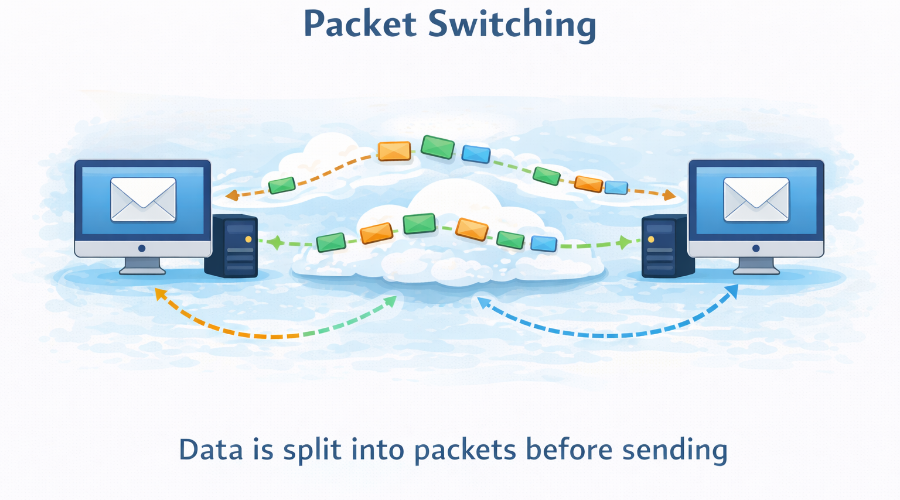
The request is too large to send as one piece.So it is broken into small parts called data packets.
Each packet contains:
- a small piece of data
- source address
- destination address
This makes Internet communication fast and reliable.
Step 5 – Packets Travel Through Routers
These packets travel through many routers across different networks.Routers act like traffic guides and decide the best path for each packet.
Packets may take different routes, but all of them move toward the same destination.
Step 6 – Data Reaches the Server
All packets finally reach the server where the website or online tool is stored.The server understands the request and prepares the required data (page, file, or result).
Step 7 – Response Travels Back to Your Device
The server sends the response back as data packets.
These packets again travel through routers and networks.
Your browser collects all packets, puts them together, and shows the final result on your screen — usually in seconds.
How Data Travels on the Internet (Packets Explained with Example)
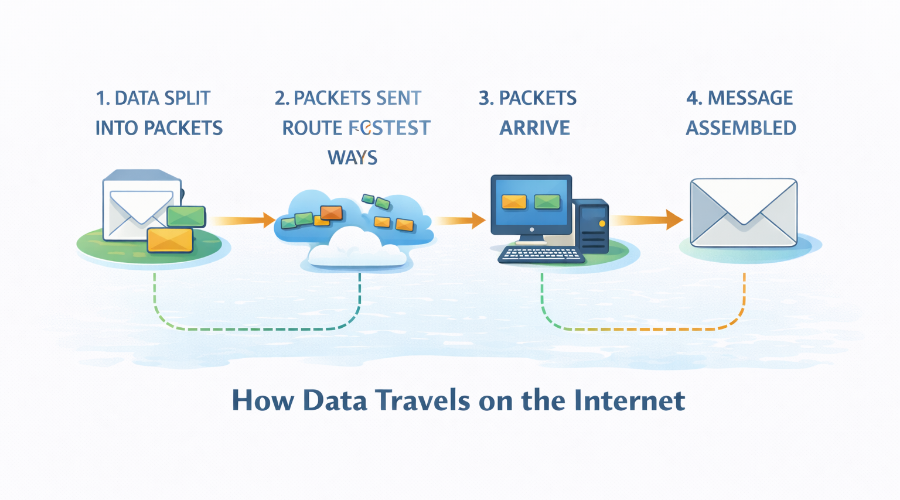
When you send a message, open a website, or use an online tool, the data does not move as one large file.The Internet breaks data into small parts so it can travel quickly and safely.
What Are Data Packets?
Data packets are small pieces of data.Any large data, such as a web page, image, or video, is divided into many packets before sending.
Example
Think of sending a big parcel. Instead of one heavy box, you send many small boxes.
Each small box is a data packet.
What Information a Packet Contains
Each packet carries more than just data. It also contains:
- where the data is coming from
- where it needs to go
- its position in the full data
This helps packets reach the correct destination and get arranged properly.
Example
Like a courier box with sender address, receiver address, and box number.
What Happens If a Packet Is Lost
Sometimes a packet does not reach its destination.The Internet detects this problem and resends only the missing packet, not the whole data.
Example
If one page of a book is missing, you ask for that page again,
not the entire book.
Why Packet Switching Makes the Internet Fast
Packets do not follow one fixed path.Each packet chooses the fastest available route at that time.
Example
If one road is busy, delivery trucks use other roads.
This keeps traffic moving and saves time.
Internet Protocols Explained Without Technical Jargon
The Internet works smoothly because all devices follow common rules.These rules make sure data is sent, received, and understood correctly.
What Is an Internet Protocol?
An Internet protocol is a set of rules that devices follow to communicate with each other.It decides how data should be sent, how it should be received, and how errors are handled.
Without protocols, devices would not understand the data they receive.
What TCP and IP Actually Do
IP (Internet Protocol) handles addressing.It makes sure data goes to the correct device.
TCP (Transmission Control Protocol) handles reliability.
It checks that data arrives complete and in the correct order.
Together, TCP and IP make Internet communication stable and dependable.
HTTP vs HTTPS Explained Simply
HTTP is used to transfer website content between your browser and a server.It sends data in plain form.
HTTPS is the secure version of HTTP.It protects data by encrypting it, which makes websites safer to use.
Most modern websites use HTTPS for security and trust.
When UDP Is Used Instead of TCP
UDP (User Datagram Protocol) is used when speed is more important than accuracy.It sends data quickly without checking every detail.
UDP is commonly used for real-time activities where delays are not acceptable.
What Happens When You Open a Website in Your Browser?
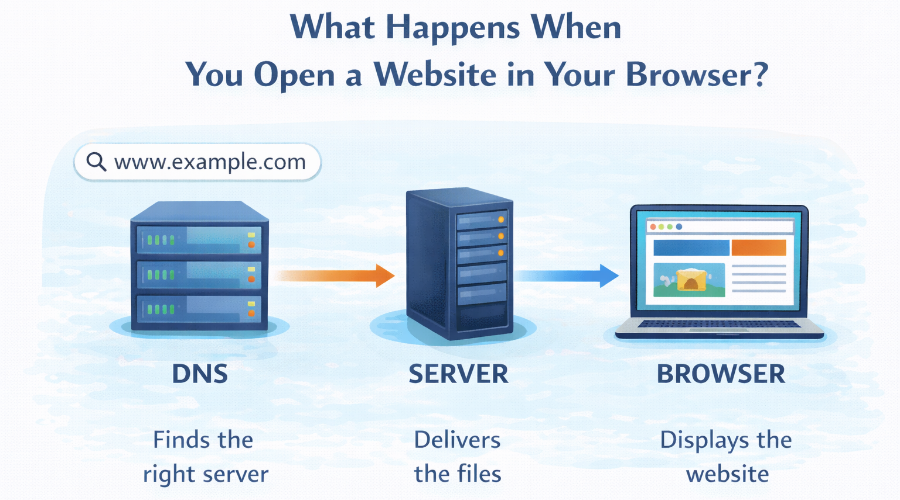
When you type a website address or click a link, many things happen in the background within a few seconds.
Your browser, the Internet, and the server work together to show the page on your screen.
From URL to Web Page – Complete Flow
First, you enter a URL in your browser.The browser understands that you are asking for a specific website and prepares a request.
The Internet then finds where that website is located and sends your request to the correct server.
This is the starting point of loading any web page.
Browser, Server, and Response Cycle
Your browser sends a request to the server.The server receives this request, processes it, and sends back the required files.
Your browser receives the response and starts building the web page step by step.This request–response cycle happens every time you open or refresh a page.
How HTML, CSS, and JavaScript Are Delivered
The server sends different types of files:
- HTML gives the page structure
- CSS controls design and layout
- JavaScript adds actions and interactivity
Your browser downloads these files and combines them to display the final page you see.
Why Some Websites Load Faster Than Others
Website speed depends on many factors, such as:
- distance between user and server
- size of files sent by the server
- Internet connection quality
- server performance
Websites that use optimized files and nearby servers usually load faster.
How the Internet Works on Mobile Phones vs Computers
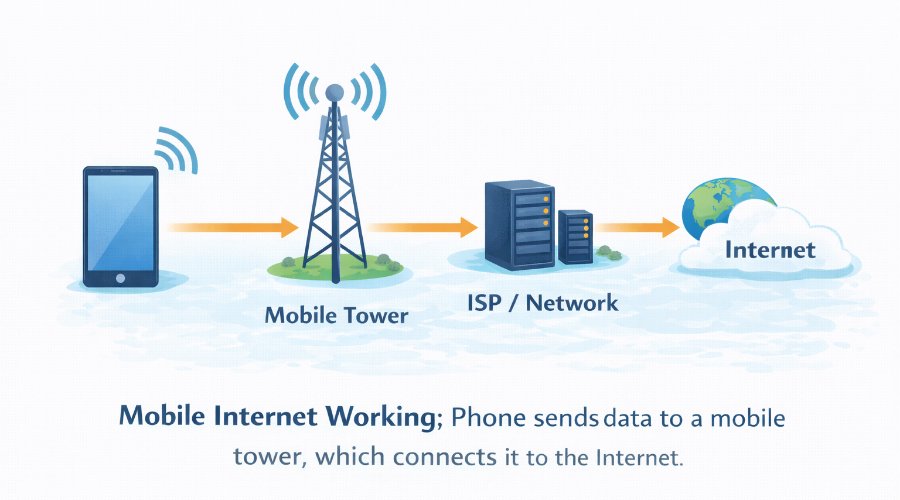
The Internet works on both mobile phones and computers, but the way the connection is created and experienced can feel different.This difference comes from how data is sent, received, and managed on each device.
Mobile Data vs Wi-Fi Connections
On mobile phones, the Internet usually comes through mobile data (3G, 4G, or 5G).On computers, the Internet is mostly used through Wi-Fi or wired connections.
Mobile data depends on network coverage and signal strength, while Wi-Fi usually depends on the router and broadband speed.This is why Wi-Fi connections often feel more stable than mobile data.
Role of Mobile Towers and ISPs
When you use mobile Internet, your phone connects to the nearest mobile tower.That tower sends your data to your Internet Service Provider (ISP), which connects you to the rest of the Internet.
For computers using Wi-Fi, the router directly connects to the ISP using cables.In both cases, ISPs act as the main bridge between your device and the global Internet.
Why Mobile Internet Feels Different from Desktop
Mobile Internet can feel slower or less stable because:
- signal strength changes as you move
- towers handle many users at the same time
- mobile networks manage speed to save bandwidth
Desktop Internet usually feels faster because:
- the connection is more stable
- fewer signal interruptions
- larger screens and browsers load content differently
Internet vs World Wide Web vs Apps (Clear Difference)
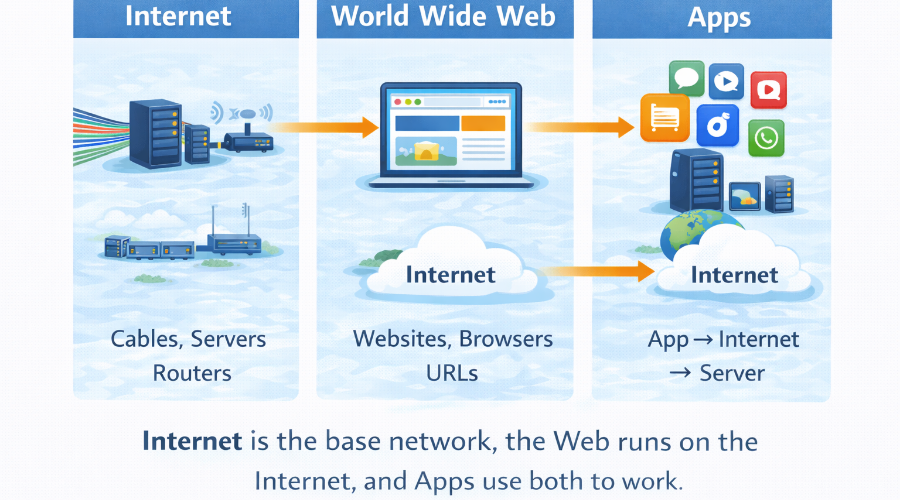
Many people use the words Internet, Web, and Apps as if they mean the same thing.In reality, they are different things that work together.
Internet vs Web – Not the Same Thing
The Internet is the global network that connects devices all over the world.It is the base system made of cables, routers, servers, and networks.
The World Wide Web (Web) is a service that runs on the Internet.Websites, web pages, and links are part of the Web.
In simple words: The Internet is the road, and the Web is what travels on that road.
How Mobile Apps Use the Internet
- send requests
- receive data
- sync information
When you open an app, it connects to servers through the Internet to load content or process actions.Without the Internet, many apps would not function properly.
Web Applications vs Native Apps
Web applications run inside a browser.You do not need to install them, and they work on different devices using the same URL.
Native apps are installed on your phone or computer.They are built specifically for one platform and can use device features more deeply.
Both types depend on the Internet, but they are built and used in different ways.
How Browser-Based Tools Work
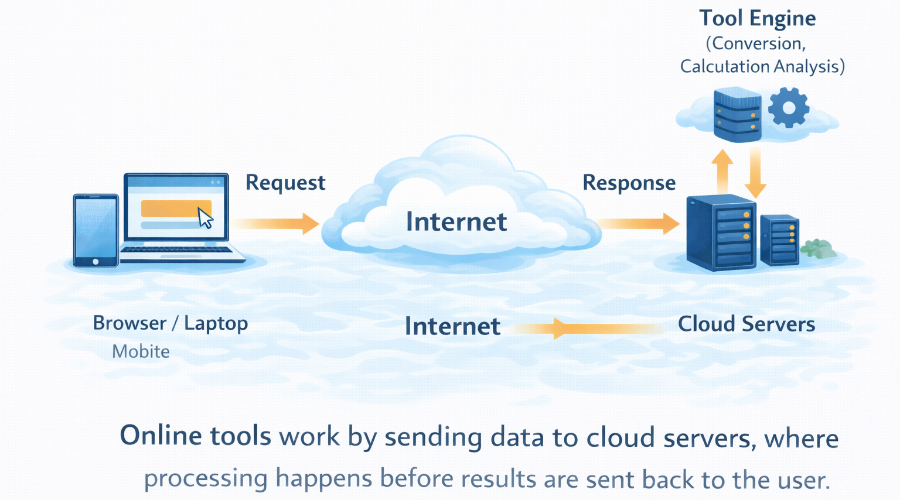
Browser-based tools run directly inside your web browser.When you open a tool, your browser sends a request to a server.
The server processes the request and sends the result back to your browser.Your device mainly shows the result, while the real work happens online.
How File Upload and Processing Happens Online
When you upload a file, it is sent through the Internet to a server.The server receives the file and performs the required task, such as conversion or analysis.
After processing is complete, the server sends the output back to your device.This entire process usually happens within seconds.
Why Online Tools Don’t Need Installation
Online tools do not need installation because they do not run fully on your device.They run on servers connected to the Internet.
You only need a browser and an Internet connection to use them.This saves storage space and keeps tools updated automatically.
How Online Tools and Websites Use the Internet
Online tools and websites work because the Internet connects your device to powerful systems running in the background. You do not see these systems, but they do most of the heavy work for you.
How Browser-Based Tools Work
Browser-based tools run directly inside your web browser. When you open a tool, your browser sends a request to a server. The server processes the request and sends the result back to your browser.
Your device mainly shows the result, while the real work happens online.
How File Upload and Processing Happens Online
When you upload a file, it is sent through the Internet to a server. The server receives the file and performs the required task, such as conversion or analysis.
After processing is complete, the server sends the output back to your device. This entire process usually happens within seconds.
Why Online Tools Don’t Need Installation
Online tools do not need installation because they do not run fully on your device. They run on servers connected to the Internet.
You only need a browser and an Internet connection to use them. This saves storage space and keeps tools updated automatically.
Cloud-Based Processing Explained Simply
Cloud-based processing means tasks are handled by remote servers instead of your device. These servers are designed to manage large workloads efficiently.
Because of cloud processing, even low-power devices can use advanced online tools without slowing down.
Is the Internet Safe? What Beginners Should Know
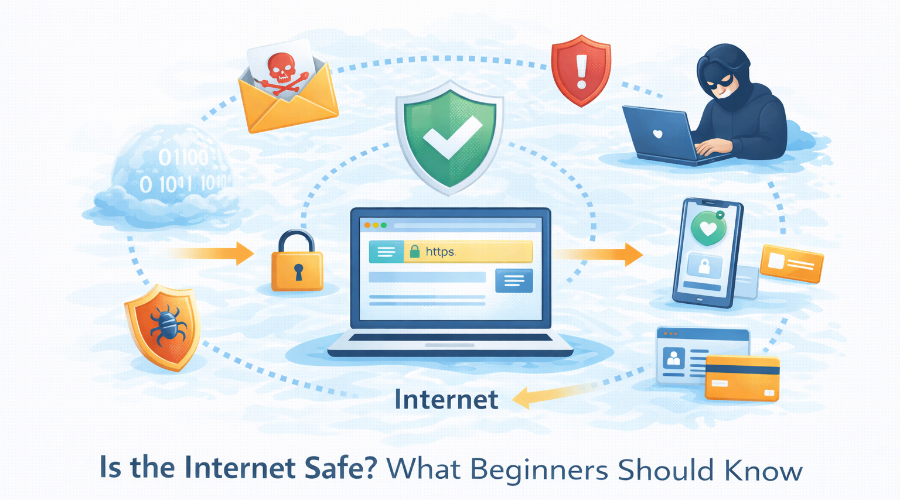
The Internet is very useful, but it is not automatically safe.How safe your experience is depends on what information you share and how carefully you use it.Understanding a few basics can protect you from most common risks.
What the Internet Can See About You
When you use the Internet, some basic information is visible, such as:
- your IP address
- your device type and browser
- the websites you visit
Websites can also see the actions you take on their pages, like clicks or form submissions.This information is mainly used to deliver content and improve services.
What It Cannot See
The Internet cannot automatically see:
- your personal files
- your offline activities
- your private thoughts or conversations
Unless you share information yourself, the Internet does not know who you are personally.Privacy is mostly lost when users overshare data.
Myths About Incognito Mode, VPNs, and Cookies
Incognito mode does not make you invisible.It only stops your browser from saving history on your device.
VPNs can hide your IP address, but they do not make you fully anonymous.You still need to be careful online.
Cookies are not viruses.They are small data files used to remember settings and login sessions, though some are used for tracking.
Basic Safety Practices Everyone Should Follow
To stay safe on the Internet:
- use strong passwords
- avoid suspicious links
- check website security
- keep your device updated
These simple habits protect you more than advanced tools.
Common Misunderstandings About How the Internet Works
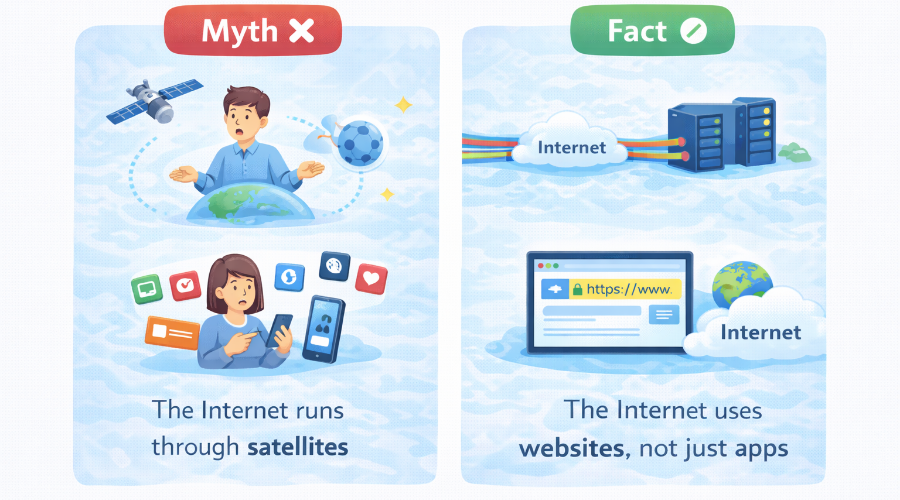
Many people use the Internet every day, but some common ideas about it are not correct.Clearing these misunderstandings helps you understand how the Internet really works.
Is There a Central Internet Server?
No, there is no single central server that controls the Internet.The Internet is a distributed system, meaning it is made of many networks and servers spread across the world.
If one server or network stops working, the Internet does not stop.Data simply finds another path.This design is what makes the Internet strong and reliable.
Does the Internet Work Without Cables?
Many people think the Internet is fully wireless.In reality, most Internet data travels through physical cables.
Wi-Fi and mobile data are wireless only for short distances.After that, the data moves through fiber optic cables underground and under the sea.
So even wireless Internet depends heavily on cables.
Is the Internet Infinite or Limited?
The Internet feels unlimited, but it is not infinite.
It depends on:
- available bandwidth
- number of servers
- physical infrastructure
When too many users access the same service at the same time, speed can drop.This shows that the Internet has real limits.
Why Understanding the Internet Matters Today
Today, almost everything we use depends on the Internet. Understanding how it works helps us use it better, faster, and more safely.
Internet and Online Tools
Online tools work through Internet connections and servers. If you understand the Internet, you can use tools more efficiently and avoid errors.
Internet and Automation
Automation depends on data moving automatically over the Internet. Without Internet knowledge, automation systems cannot be trusted or optimized.
Future of Internet-Based Systems
Future technologies will rely even more on the Internet. Understanding it today prepares you for digital growth tomorrow.
Frequently Asked Questions About the Internet
The Internet is a global system that connects devices so they can share information. It allows websites, apps, messages, and online tools to work.
Data travels extremely fast, often close to the speed of light. That is why information reaches you in seconds.
Yes. The Internet exists through cables, data centers, servers, and network devices placed around the world.
No. Servers store data and run services. Without servers, websites, apps, and online tools cannot function.